Use Your Camera to Print Full-Color ID and Visitor Badges
Updated November 3, 2025
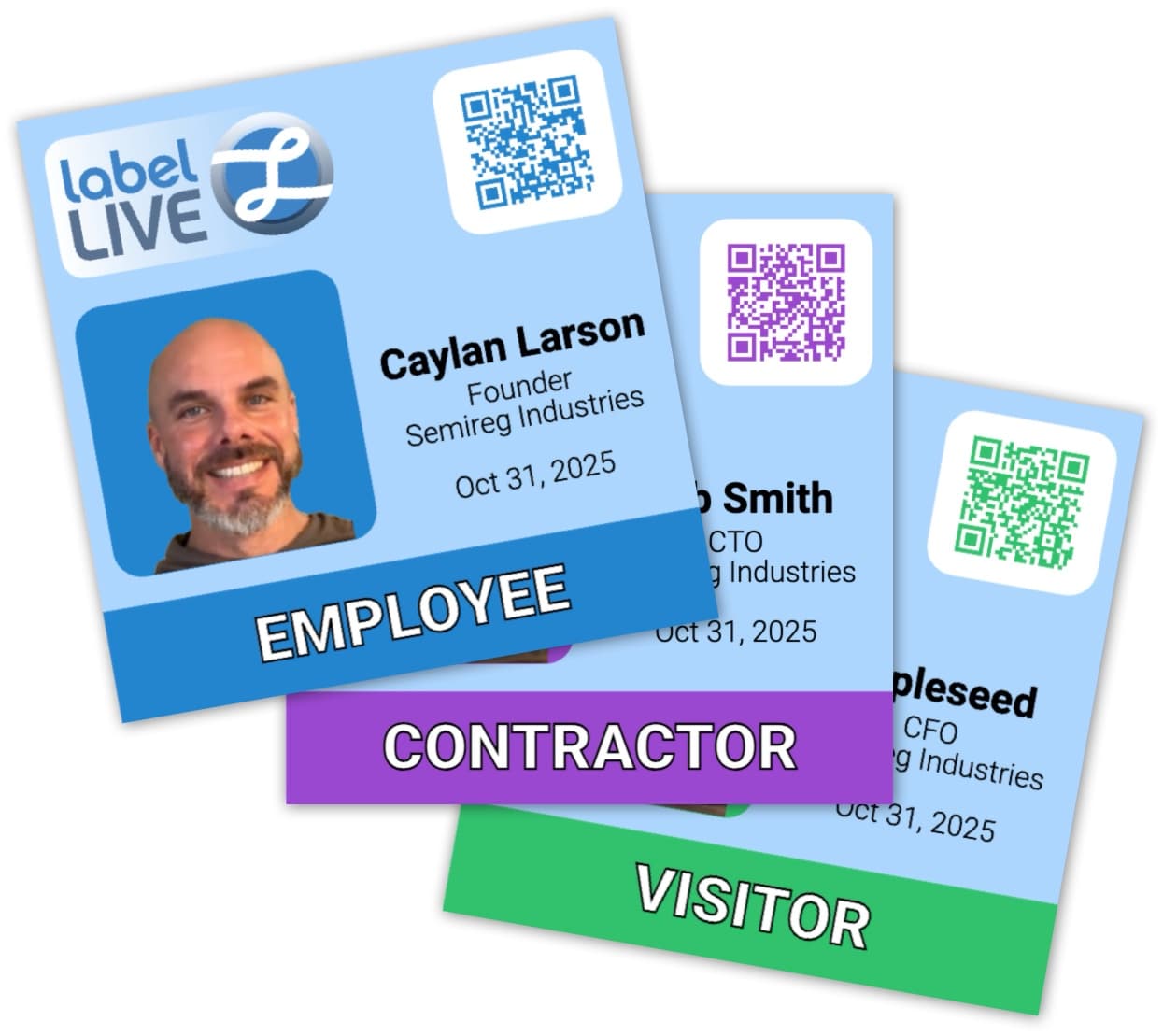
Add a camera to your badging workflow in minutes. Label LIVE captures a photo from your webcam, automatically finds the face, levels the eyes, crops a perfect headshot, removes the background, and prints a full-color badge. No additional apps or uploads.
Add Camera Variable
Open a label design and click Data > Examples > {CAMERA:PHOTO} to add a camera variable. You may need to approve camera access for Label LIVE.
The camera will load and you'll notice a new image on your label design.
Now is a good time to adjust your Print tab to Full Color. If using One Color adjust the image's Dithering to Floyd-Steinberg for best quality.
Choose a Camera
Once the camera is loaded, hover over the variable name PHOTO and choose any available camera. Any camera that's compatible with meeting software like Zoom/Teams should work great.
Automatic Face Detection and Headshot
Label LIVE automatically detects faces and optimizes a photo portrait for ID cards and visitor badges:
Detects largest face
Rotates image to align eyes horizontally
Crops and aligns headshot
Removes background
All processing happens on your computer. No images are uploaded or shared externally.
Design The Badge
Now that you have a perfect portrait you can adjust image settings to best fit your label design. Consider resizing, locking height or width, and anchoring to an edge so that the photo stays within the label area.
Continue to design your ID badge label by adding:
Background shapes and colors
Images and logos
Add more functionality to your labeling process:
Personal details: Name, Company
Visitor badge kind, category or classification (visitor vs. contractor)
Hide/show VIP status
Variables and Form Mode
Label LIVE variables make it easy to add specific data to your label. Once satisfied, click Data twice and change to Form mode for a simplified operator view. Hover over the blue print button to see Form options.
Pre-Built Visitor Badge Template
There are many ways to use Label LIVE and achieve your badging goals. If all you need is a simple photo and a logo, you're basically done. If you have bigger dreams of custom colors, showing and removing "VIP" status, etc. You can download the version below to get started.
Download a starter template:
Visitor Badge (with VIP Toggle): Label-LIVE-example-visitor-badge.lsc
Compatibility
Operating systems: macOS and Windows
Cameras: most UVC/USB webcams and built-in laptop cameras
Color Label Printers: Epson ColorWorks CW-C4000/C6000/C6500; Primera LX500, LX610, LX910, LX4000. Also supports inkjet, laser and thermal printers.
Your Future ID and Badging Toolbox
Label LIVE has many advanced features that can be used to build a fully-functioning badging and visitor management kiosk. Let us know if you have a use case or feature request that's not covered here. Label LIVE grows stronger with your feedback, and we're excited about building bespoke features.